Although a broken link may seem like a minor issue, it will potentially harm your website’s credibility, performance in SEO, and user experience. Whether you are running a blog, a business website, or have an eCommerce store, fixing broken links is one of the easiest things you can do to help boost your site’s overall health.
In this guide, we will cover what a broken link is, why it happens, how it hurts your website, and—more importantly—how to find and fix it in an efficient and easy, natural way.
What Are Broken Links?
A broken link is a hyperlink that no longer works. When someone clicks on it, they land on a 404 error page instead of the expected content. Broken links can be:
- Internal links – links within your website
- External links – links pointing to other websites
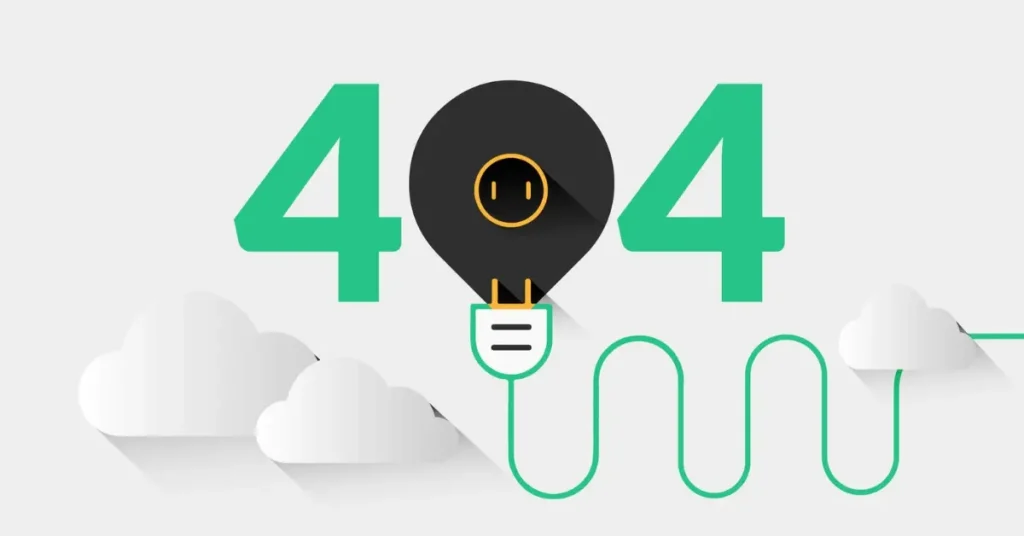
They break for many reasons, such as deleted pages, changed URLs, moved content, or mistyped addresses.
Why Should You Fix Broken Links
Addressing broken links should be a habitual practice as you are maintaining your website. Here’s the rationale.
✔ Improved SEO
Search engines tend to consider broken links detrimental to user experience. Broken links will hurt our ranking if we have too many, as they are a signal of a poorly maintained website.
✔ User Experience
Users become frustrated when they are clicking on a link only to hit a dead end. Bang! Your user experience stops there, and you will likely not come back to your website.
✔ Trust and Professionalism
A polished and current website instills confidence in users. If you have broken links, potential users will not feel inclined to trust you.
How to Find Broken Links on Your Site
There are several easy ways to locate broken links, even if you’re not a technical expert.
1. Use Online Tools (Free and Paid)
✔ Google Search Console (Free)
Google Search Console highlights crawl errors and shows pages returning 404 errors.
Steps:
- Log in to Google Search Console
- Go to Page Indexing
- Check for Not Found (404) issues
- Identify which URLs are affected
✔ Broken Link Checker (Free)
Tools like BrokenLinkCheck.com scan your site and give a list of broken internal and external links.
✔ SEO Tools Like Ahrefs, SEMrush, or Screaming Frog
These are more advanced but provide detailed reports, including redirects, missing pages, and server errors.
2. Manually Check Important Pages
Sometimes tools miss issues on dynamic pages or newly updated posts. Checking your top pages manually ensures nothing slips through.
Focus on:
- Homepage
- Service/Product pages
- Blog posts with high traffic
- Navigation menus
How to Fix Broken Links Quickly and Easily
Once you identify the broken links, here’s how to fix them step by step.
1. Update the Link URL
If the page still exists but the link is outdated, simply update the URL to the correct one.
Example:
Old link → /blog/seo-tips-2022
Updated link → /blog/seo-tips
2. Redirect the Old Page (301 Redirect)
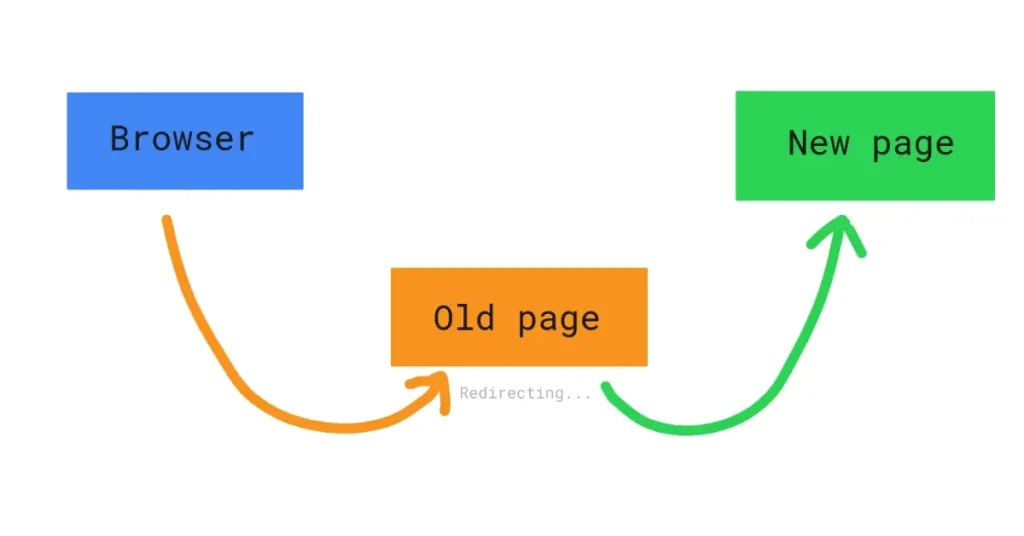
If a page has been permanently removed or the URL has changed, set up a 301 redirect so users and search engines go to the new page automatically.
You can do this using:
- WordPress plugins (Rank Math, Yoast SEO, Redirection)
- .htaccess file (for non-WordPress sites)
- cPanel redirects
Example:
/old-page → /new-page
If your website runs on WordPress, the process of fixing broken links becomes even easier. WordPress users can quickly scan, update, or redirect broken URLs using simple plugins and built-in tools. I’ve created a full step-by-step guide that explains exactly how to fix broken links on a WordPress website, covering plugins, manual methods, and redirect setup.
3. Replace the Link with a New Resource
If the external website no longer exists, replace the link with:
- A similar article
- Your own relevant content
- A trustworthy new resource
4. Remove the Link Entirely
If the link is no longer necessary and no replacement is available, simply remove it for a cleaner user experience.
Tips to Prevent Broken Links in the Future
✔ Use descriptive URLs and avoid frequent URL changes
Keep URLs simple and meaningful to avoid accidental breakage.
✔ Run routine link checks every month
Make checking for broken links part of your regular SEO maintenance.
✔ Use a redirection plugin
Automatically manage changes when updating URLs.
✔ Fix 404 pages with helpful suggestions
Include search bars, popular posts, and navigation options to reduce frustration.
Conclusion
Broken links are part of running a website, and they are not something to be ignored once you find them. Regular checks and fixes will keep your site healthy, help in SEO, and keep your visitors happy and enjoying their visit, with little interruption.
When you utilize the tools and steps above, you can quickly find the issues, and clean up your website in just minutes. A website that is free of broken links is a better-performing site and has a more favorable rank.