When you create FAQ pages for Answer Engine Optimization (AEO), they can do more than just respond to simple queries; they can be included in AI responses, featured snippets, and voice results. To enable AI models and voice assistants to directly cite your content, optimize each question with a succinct, authoritative response, a clear structure, and the appropriate schema. The likelihood that your content will be the first thing searchers see is increased by that one modification.
This article explains what AEO-focused FAQ content looks like, why it increases visibility and conversions, and how to organize, tag, and map FAQs to actual conversational questions. Anticipate useful strategies for voice-search brevity, schema use, keyword mapping, performance measurement, snippet-ready phrasing, and the typical pitfalls that undermine AEO success.
What Is FAQ Optimization for AEO?
In order for AI-driven systems and search features to extract, cite, and surface accurate answers from your website, FAQ optimization for Answer Engine Optimization (AEO) prepares your Q&A content. To improve the likelihood of being selected as a direct response, it emphasizes content organization, authority signaling, and language alignment with user inquiries.
Definition and Purpose
For AEO, FAQ optimization entails organizing each FAQ entry so that AI answer engines can parse and repurpose the content as a succinct, stand-alone response. Atomic Q&A pairs consist of a single, concise question and a direct response (usually one to three sentences) that answers the question without the need for context.
In order for generative engines and snippet extractors to recognize and attribute your content, you add machine-readable signals, such as FAQPage schema, consistent entity names, and canonical URLs. The goal is to transform FAQs from page sections into candidates for voice assistants, featured snippets, and AI summaries.
Importance in Search Rankings
Your chances of showing up in zero-click results and AI answer citations—which can generate qualified traffic even if users don’t click through—are increased by AEO-optimized FAQs. Millions of users will see your website in conversational interfaces and summary panels when AI engines favor your content for succinct responses.
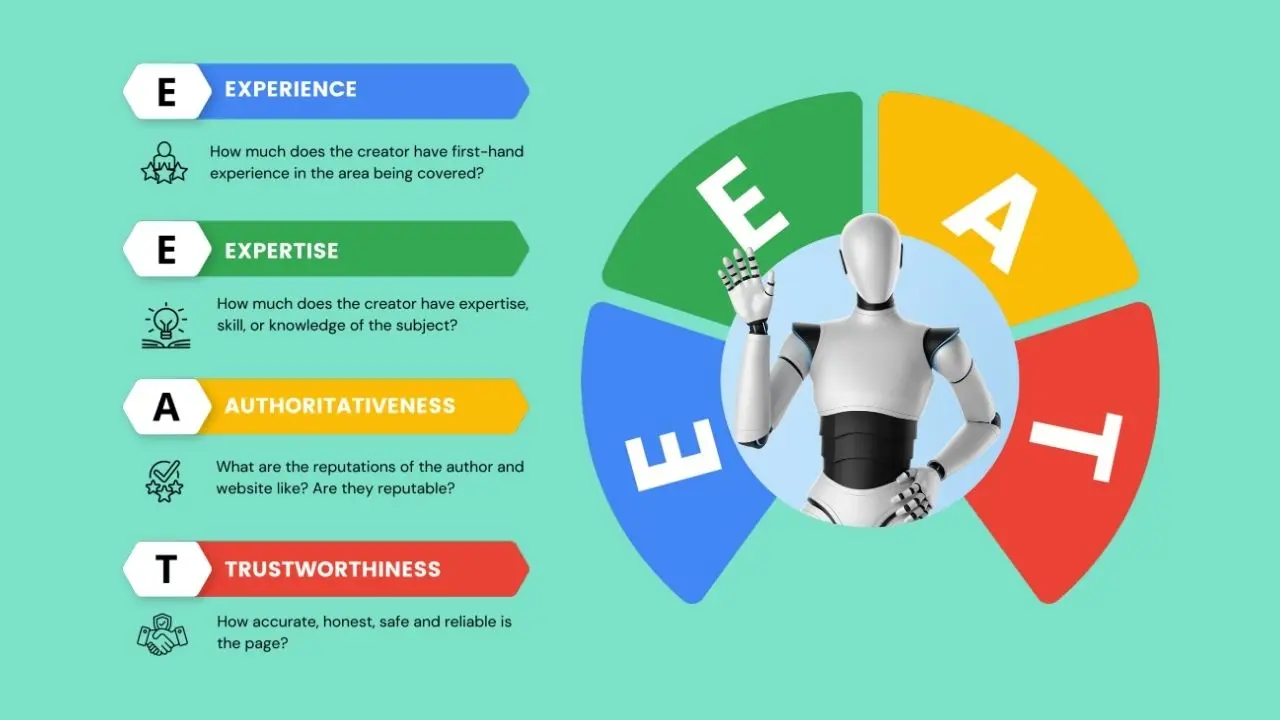
Additionally, this optimization promotes topical authority by strengthening entity signals and E-E-A-T cues through consistent, well-structured FAQs linked to full-content pages, which indirectly raises rankings. To determine actual impact, you should measure citation and click-through rates and give priority to high-intent questions.
Key Components
- Content structure: Use atomic Q&A pairs, short direct answers, and follow-up links to longer resources. Keep answers self-contained; then provide a 1–2 sentence elaboration or a link for depth.
- Technical signals: Implement FAQPage schema with correct properties, maintain canonicalization, and ensure fast page load and mobile-friendly layout so answer engines can ingest reliably.
- Entity and language consistency: Use consistent names, terminology, and synonyms across your site and structured data to help AI match queries to the correct entity.
- Authority cues: Surface credentials, internal linking to supporting pages, and publication dates to strengthen trust signals. Track citation rates and adjust content based on which questions get used by AI engines.
Benefits of FAQ Optimization for Answer Engine Optimization
FAQ optimization helps your content become directly usable by answer engines, voice assistants, and featured snippets. It drives more precise visibility, clearer user interactions, and stronger incentives for clicks and citations.

Improving Visibility in SERPs
Optimized FAQs structure your content so search engines can extract concise Q&A pairs for featured snippets and AI overviews. Use clear question headings, direct answers in the first 1–3 sentences, and schema (FAQPage) markup to increase the chance engines will surface your content as an instant answer.
Target transactional and informational queries explicitly. Include variant phrasings and long-tail questions users ask in voice search. That increases coverage for related queries and raises the likelihood your brand appears in AI citations and “people also ask” boxes.
Monitor impressions and query terms in Search Console or platform analytics. If specific FAQ questions generate impressions but low clicks, adjust wording or answer depth to better match intent and improve ranking signals.
Enhancing User Experience
FAQs deliver immediate value by answering common questions with minimal effort from the user. Write short, scannable answers (one to three sentences) followed by a concise detail or example when needed. This hierarchy supports both quick voice responses and deeper reading.
Organize FAQs by intent and audience segment so users find relevant answers faster. Use internal links to expand on complex topics and keep the core answer self-contained for answer engines. Clear formatting—bold questions, bullet lists, and consistent phrasing—reduces friction and improves comprehension on mobile and voice platforms.
Collect user feedback and search queries to refine FAQ language over time. Updating FAQs based on real user intent prevents stale answers and preserves the user trust that answer engines favor when selecting sources.
Increasing Click-Through Rates
A well-optimized FAQ can convert an AI mention into a site visit by offering the right level of detail and a logical next step. Lead with a succinct answer, then include a single, descriptive link or call-to-action that explains what additional value the page provides if the user clicks through.

Test different answer lengths and CTA phrasing to see what yields higher CTR in impressions where your FAQ appears as a snippet or AI citation. Use analytics to compare click behavior from featured snippets versus regular listings to refine wording and link placement.
Emphasize unique content or proprietary data in follow-up sentences to create a compelling reason to click. That balance—giving a useful instant answer while signaling clear added value on your page—improves both CTR and downstream engagement metrics.
Best Practices for Structuring FAQ Content
Focus on making questions scannable, answers directly useful, and the page machine-readable. Use consistent formatting, short sentences, and structured data so both people and AI can find and cite your content.
Clear and Concise Question Formatting
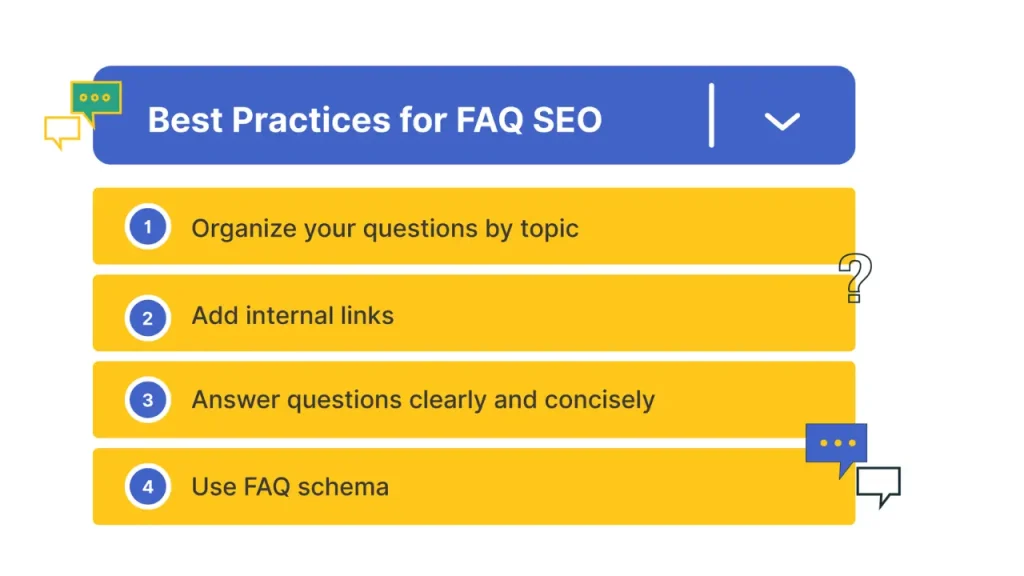
Write each question as a single, precise user intent statement. Start with common interrogatives (“how,” “what,” “why,” “can I”) and keep questions under 10 words when possible to improve scannability.
Use a consistent pattern for similar items. For example:
- “How do I reset my password?”
- “How do I change my account email?”
Avoid compound or ambiguous questions. Split multi-part queries into separate FAQ entries so each answer can stand alone and be cited.
Apply visual hierarchy: bold the question, use H4 or strong styling for each FAQ item, and keep spacing consistent. That helps AI extract the question and helps users scan quickly.
Rich and Relevant Answers
Answer immediately with a one-sentence BLUF (Bottom Line Up Front) that directly resolves the question. Follow with 1–3 supporting sentences that provide steps, key settings, or required conditions.
Include explicit, actionable items such as exact menu paths, button names, or command syntax. Example:
- BLUF: “Reset your password from Settings > Security.”
- Steps: “1) Go to Settings → Security. 2) Click ‘Reset password’. 3) Enter current email and follow the link.”
Use bullets or numbered lists for processes. Add constraints and exceptions (e.g., “password reset link expires in 30 minutes”) so answers remain accurate without making broad claims.
Semantic Structuring
Mark up FAQs with FAQPage schema (JSON-LD) and ensure each question/answer pair appears exactly once in the visible HTML. Include the exact question text in the schema and the same answer text to avoid mismatch penalties from search engines.
Group related questions into topical clusters and add clear section headings. Use internal links between related Q&As and canonical tags when duplicate content exists across pages.
Optimize for synonyms and paraphrases by including one or two alternate phrasings within the answer naturally (not hidden). Keep sentence-level semantics clear so AI models can match user queries to the correct FAQ entry.
Optimizing for Featured Snippets and Voice Search
You’ll learn practical ways to identify snippet targets and make FAQ answers voice-ready. Focus on concise, structured answers, clear question phrasing, and measurable on-page signals.
How to Target Snippet Opportunities
Start by auditing queries where you rank on page one or positions 2–6; these are the highest-probability snippet contenders. Use SERP feature tracking or tools that show current snippet holders to build a target list.
Structure answers using formats Google prefers: short paragraphs (40–60 words), numbered or bulleted steps, and single-line definitions. Add an H2/H3 that exactly matches the question text to signal relevance. Include a concise lead sentence that answers the question, then expand with a 1–3 item list or a short table for clarity.
Use schema markup (FAQPage for Q&A, and where applicable HowTo for procedures) and optimize title/meta to match intent. Monitor CTR and snippet ownership weekly and iterate: test alternative phrasing, shorten answers, or convert a paragraph into a list if a snippet appears as a list.
Writing for Conversational Queries
Write as someone speaking to a user: use natural, question-based headings and simple present tense. Target full question queries and common voice assistant prompts (e.g., “How do I reset my router?” or “What’s the warranty on X?”).
Keep the immediate answer 10–20 words when possible, then follow with 1–2 supporting sentences that add context or a quick step. Use numbered steps for procedural replies and bold key actions or values so voice engines and featured snippets pull the clearest line.
Include variants of the same question phrased conversationally and with contractions to capture voice-search phrasing. Ensure pages load fast and are mobile-friendly, since these are strong ranking signals for voice responses.
Utilizing Schema Markup in FAQ Optimization
Use structured data to make your FAQs machine-readable, increase eligibility for rich results, and guide AI systems to exact Q&A pairs. Focus on precise JSON-LD fields, accurate question/answer text, and placement on the page where users can see the same content.
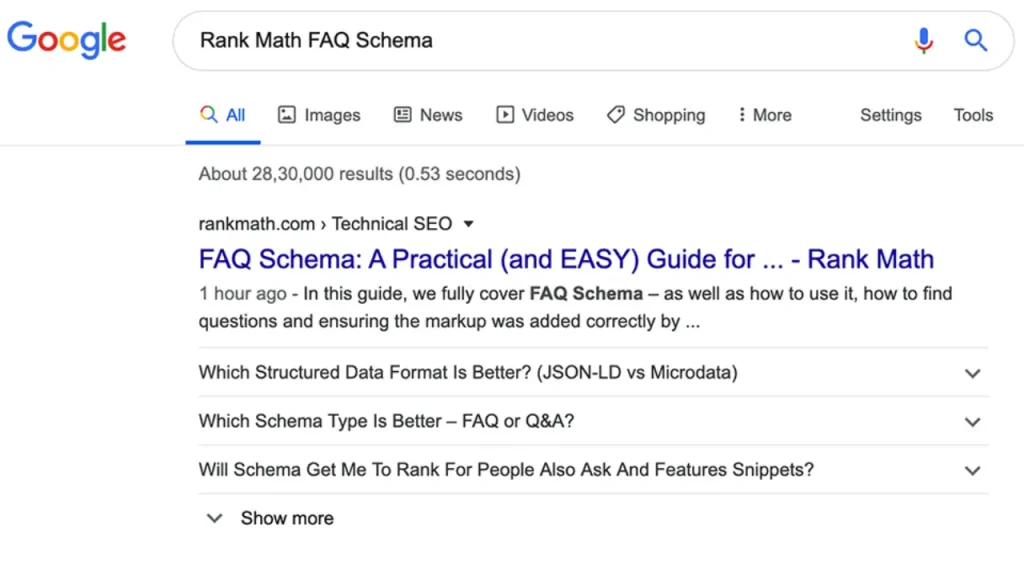
Implementing FAQPage Schema
Add a JSON-LD block with “@type”: “FAQPage” and include each Q&A as a “Question” object containing “name” (the question) and “acceptedAnswer” with “text” (the answer). Keep the question text identical to the visible page copy and place answers exactly as shown to avoid mismatches that can trigger manual actions.
Key implementation checklist:
- Use JSON-LD (recommended) and validate character encoding (UTF-8).
- Include only user-visible Q&As; do not add hidden or auto-generated answers.
- Limit answer length to clear, direct responses; omit marketing language.
- Provide structured items in the order they appear on the page to reflect user intent.
Sample JSON-LD structure (simplified):
- @context: “https://schema.org“
- @type: “FAQPage”
- mainEntity: [ { “@type”:”Question”, “name”:”…”, “acceptedAnswer”:{ “@type”:”Answer”,”text”:”…” } }, … ]
Testing and Validating Structured Data
Test your markup before and after deployment using tools that check both syntax and search engine interpretation. Use Google’s Rich Results Test and the Schema.org validator to catch JSON errors and missing required properties.
Validation steps:
- Run the JSON-LD through a syntax validator for proper JSON formatting.
- Use Rich Results Test to confirm eligibility for FAQ rich results.
- Inspect live pages with Search Console’s URL Inspection to see indexed structured data.
- Monitor Search Console and server logs for coverage issues and reported warnings.
Fix common issues like mismatched visible text, missing required fields, incorrect nesting, and duplicate entries. Re-test after fixes and document changes to track the impact on impressions and answer citations.
Keyword Research and Content Mapping for FAQs
Focus on the exact questions users ask, the intent behind them, and where each answer fits in your conversion path. Prioritize queries that are short, directly answerable, and tied to measurable user actions like signups, purchases, or support resolution.
Identifying High-Intent Questions
Use your analytics and support logs to find questions that correlate with conversions or high engagement. Pull query reports from site search, chat transcripts, and helpdesk tags. Sort by frequency and conversion rate, then flag questions that indicate transactional intent (e.g., “how much does X cost,” “shipping time for Y,” “cancel subscription”).
Validate those candidates with keyword tools that show conversational variants and question modifiers (who, how, when, why, can, is). Prioritize short, unambiguous questions that an answer engine can quote in one or two sentences. Create an ordered list of top-priority questions and annotate each with search volume, click-through data, and business impact.
Mapping Questions to User Journey
Classify each question by stage: awareness, consideration, or decision. Place broad exploratory questions (e.g., “what is X”) in awareness; comparison and feature questions in consideration; pricing, trials, and purchase logistics in decision. This mapping ensures answers match user intent and expected depth.
For each mapped question, define the on-page element that hosts the answer: a single-line FAQ item, a short paragraph with schema, or a link to a deeper guide. Use a simple table to track mappings:
- Question — Journey Stage — Answer Type — Destination URL
- “How secure is product X?” — Consideration — 2–3 sentence FAQ with schema — /security
- “When will my order arrive?” — Decision — 1-sentence FAQ + shipping page link — /shipping-policy
Keep the table updated from user feedback and SERP performance metrics to refine which questions you display prominently and which you retire.
Measuring and Improving FAQ Performance
Use quantitative engagement signals and search console data to see which FAQ items get cited, clicked, or surfaced by answer engines. Focus on click-throughs, time on snippet, query coverage, and citation-rate for iterative improvements.
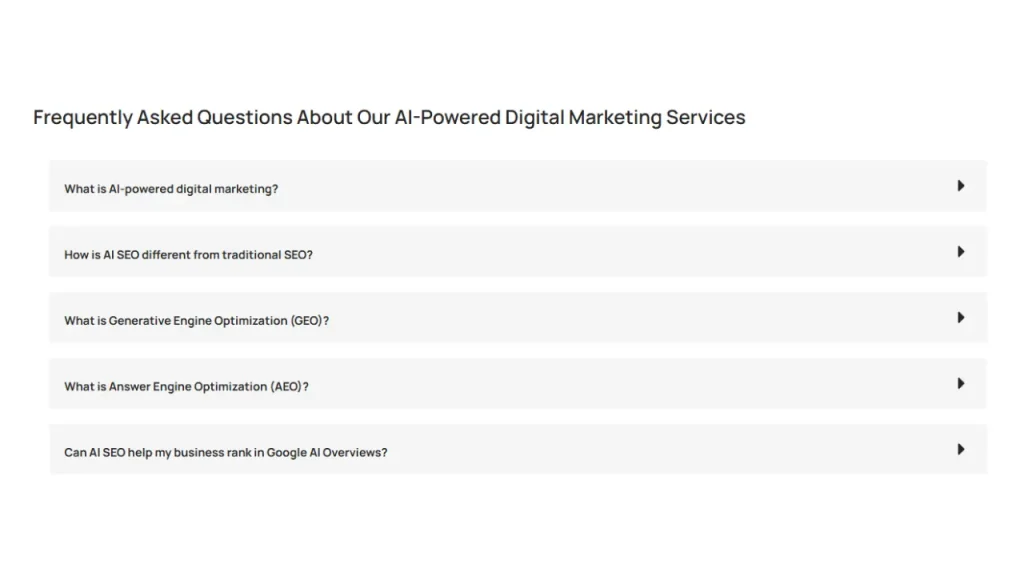
Tracking Engagement Metrics
Track metrics that show both human and machine selection: pageviews for the FAQ page, click-through rate (CTR) on individual Q–A anchors, average time on answered fragment, bounce rate after interacting with an FAQ, and scroll depth to each question. Instrument each question with unique anchors and event tags so you can attribute interactions to a single Q–A pair.
Use a combination of analytics events and A/B testing. For example, run an A/B test that compares atomic answers (one answer per question, 40–80 words) versus longer explanatory answers to see which yields higher CTR and lower pogo-sticking. Record citation events: when a user copies a snippet or when your site is referenced in an external answer engine (use tracking via referral UTM or third-party monitoring).
Prioritize changes based on impact per effort. Tweak question phrasing, add schema markup, and shorten answers for high-impression/low-CTR items first. For low-impression items, test keyword and entity inclusion to expand query coverage.
Analyzing Search Console Data
Use Google Search Console (GSC) to identify queries and impressions that surface your FAQ content. Filter queries by page (your FAQ URL) and inspect position, impressions, clicks, and CTR at the question-anchor level. Export the data to pivot by query → question to spot high-impression questions with low CTR or high impressions and poor average position.
Monitor “position” trends after you implement changes ( rewrite Q phrasing, add FAQPage schema, or adjust answer length). Watch for increases in impressions and featured-snippet wins; track the change in clicks and CTR within 2–8 weeks.
Also check coverage for voice and generative search signals by tracking queries that include question words (who, what, how, where, why). If those queries show impressions but low clicks, prioritize making answers more atomic and adding explicit entities and numeric facts to increase citation likelihood.
Common Mistakes in FAQ Optimization for AEO
You should prioritize concise, directly useful answers and keep content current to maximize chances of being cited by answer engines. Focus on relevance, answer atomicity, and maintenance rather than volume or decorative formatting.
Overloading with Irrelevant Questions
Including too many off-topic or low-value questions dilutes the authority of your FAQ and reduces passage candidacy. You should audit question intent: keep only questions that match real user queries, have measurable search volume, or tie to conversion goals. Remove redundant variants and merge near-duplicate queries into a single, stronger Q&A.
Structure matters: present each question with an atomic answer (one idea per response) and add an explicit short answer followed by a 1–2 sentence expansion. Use clear headers and FAQPage schema so answer engines can extract the exact text. Avoid stuffing keywords or turning answers into marketing copy; that confuses models and lowers citation likelihood.
Neglecting Regular Updates
Outdated answers erode trust and stop being cited by AI systems that favor current facts. You should set an update cadence based on content type: technical FAQs every 30–90 days, pricing and policy questions monthly, and evergreen topics quarterly. Track changes in product features, legal terms, and industry standards and refresh the exact phrasing that answer engines index.
Make updates traceable: include a visible “Last updated” date in each FAQ entry and maintain an internal changelog. Use versioned archival for major rewrites so you can A/B test which phrasing earns citations. Automate alerts from product teams or analytics when question clicks or decline in citation rate signal a needed revision.